VISCode / Visualize any GitHub repository from its link
Visualize any GitHub repository from its link
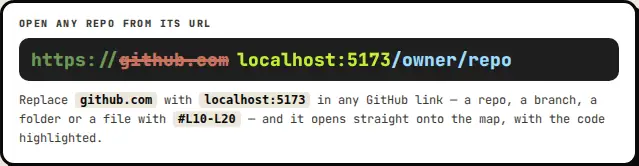
Replace github.com with viscodeai.netlify.app in any GitHub link - a repository, a branch, a folder, or a file with #L10-L20 - and it opens straight onto the map, with the code highlighted.
Open VISCode - free Connect your AI
Works with
- github.com/owner/repo → the whole repository.
- /tree/<branch>/<folder> → that folder. /blob/<branch>/<file>#L10-L20 → that file with the lines highlighted.
- /compare/main...feature and /pull/<n> → the map of what changed.
Then
- Generate diagrams, run the code in the Compiler, share an encrypted link, or export a report.
Questions
Is the repository copied to VISCode?
No - it is fetched to your browser and read there.