VISCode / Claude + MCP: watch Claude build, file by file
Claude + MCP: watch Claude build, file by file
Add VISCode to Claude as a custom MCP connector and ask "build this live in VISCode". Claude answers with a link before it writes a line; open it to see a live map of the code, the app running on seven devices and Claude's tasks ticking by.
Open VISCode - free Connect your AI
Set up
- Claude on the web or desktop: Settings → Connectors → Add custom connector. Name: VISCode. URL: https://viscodeai.netlify.app/mcp. Press Connect and approve.
- On Team and Enterprise an owner adds it first under Organization settings.
- Claude Code: claude mcp add --transport http viscode https://viscodeai.netlify.app/mcp.
- Claude on iPhone and Android: once added on the web, turn VISCode on from the tools menu of a chat.
What you see
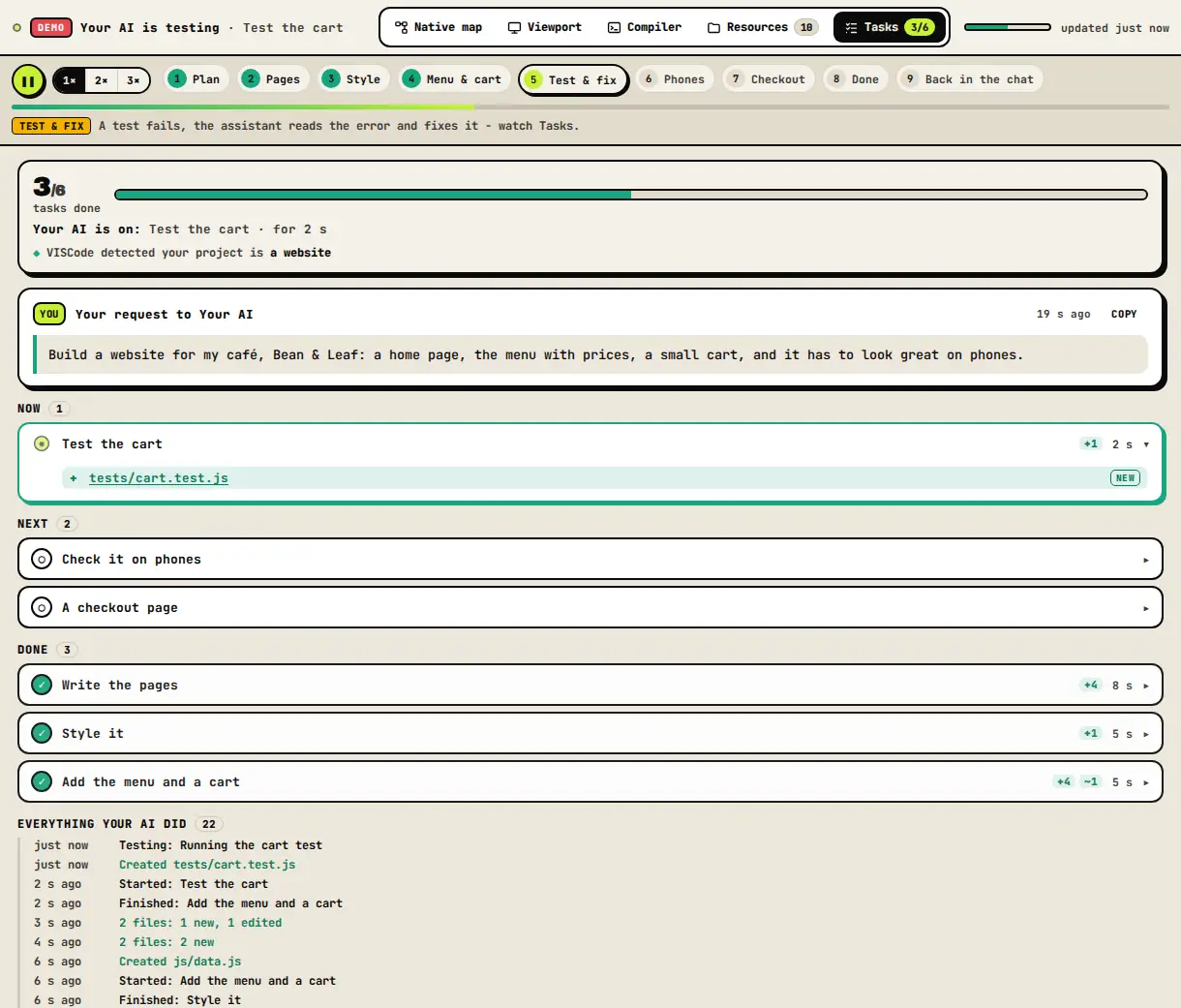
- Your request to Claude, word for word, above its plan.
- Tasks: done, current and next, with the files each one touched.
- Status: "Claude is still building", "Claude is fixing some errors", then done - with a summary.
Questions
Does VISCode read my Claude conversation?
No. It receives only the arguments of the tools Claude calls - files, tasks, test results and, if Claude passes it on, your request for that build.
Can Claude change a build later?
Yes. In the same conversation Claude reuses the build, so the same link comes alive again with every change.